Add2ABM




Add2ABM is a macOS recovery-time utility script created by Inetum Poland that re-triggers Setup Assistant to allow an already configured Mac to be added to Apple Business[1] (formerly Apple Business Manager[^2], ABM) or Apple School Manager[^3] (ASM) without erasing the disk.
It temporarily removes the .AppleSetupDone flag, as well as local user records on the Data volume, working around the limitations introduced in macOS Sonoma, forcing the system to present Setup Assistant on next boot. This allows the device to be (re)assigned in ABM or ASM for Automated Device Enrollment (ADE) workflows without erasing the disk.
The process is fully reversible: running the script again restores the original system state.
Intended use
This tool is intended exclusively for system administrators, support engineers, or help desk personnel responsible for managed macOS environments.
It is used to:
- retroactively add a Mac to ABM[1][^2]/ASM[^3] with Apple Configurator,
- enable Automated Device Enrollment (ADE) on an already configured Mac,
- avoid wiping a device due to data retention requirements.
[!WARNING] End users should never run this script themselves. The entire procedure should be carried out by, or at least under the supervision of, IT/support staff. Improper use may lead to system misconfiguration. While no data is deleted and all changes are reversible, a full backup before use is of course recommended.
[!CAUTION] Do not use this script on a Mac with User Activation Lock enabled or one already added to ABM/ASM. Proceeding will inevitably lead to assignment failure which can put your data at risk.
In fact, if for whatever reason the assignment fails, do not use Shut Down button in the bottom right corner of the Setup Assistant. Doing so will reset the activation status of the device and will initiate Erase All Contents & Settings system wipe on next boot, even if you’d try to go straight to Recovery. Use Command+Q (⌘Q) and then Shut Down in modal window instead, or just hold the Power button to power off and potentially try again.
The script has additional checks to prevent putting your data at risk, but you’re the one in control.
ABM/ASM assignment error examples
Activation Lock:
Desc.  : Provisional Enrollment failed.
Sugg.  : The device failed to request configuration from the cloud.
Domain : DEPCloudConfigErrorDomain
Code.  : 0x80EF (33007)
  Domain : MCCloudConfigurationErrorDomain
  Code.  : 0x84D0 (34000)
Already assigned:Desc. : Provisional Enrollment failed. Sugg. : This device is already enrolled in the Device Enrollment Program. Domain : DEPCloudConfigErrorDomain Code. : 0x80EF (33007) Domain : MCCloudConfigurationErrorDomain Code. : 0x80FA (33018)Network issue:Desc. : Transport could not connect. Domain : Catalyst.error Code. : 0xCA (202) Desc. : Broadcast primitives invalidated Domain : DeviceManagementTools.error Code. : 0x1E (30) Desc. : Client Disconnected Domain : DeviceManagementTools.error Code. : 0x5B (91)[!CAUTION] Do not proceed beyond the Select Your Country or Region screen when Setup Assistant appears after running Add2ABM. Proceeding further may result in: - duplicate or conflicting configurations, - unexpected behavior on an already configured system.
The sole purpose of re–triggering Setup Assistant is to allow ABM/ASM assignment, not to reconfigure the system.
[!NOTE] Re–triggering the Setup Assistant resets end user’s consent to macOS Software License Agreement (Terms and Conditions step). Add2ABM re–confirms it again in Restore mode.
Requirements
- Apple silicon Mac or Intel Mac with T2 Security Chip
- Activation Lock disabled (at least temporarily)
- Access to macOS Recovery (make sure you have the Recovery Lock password, if set)
- Ability to unlock the Data volume using:
- SecureToken-enabled user password, or
- FileVault Personal Recovery Key
- Network connectivity (to download the script within macOS Recovery)
Usage
Run from macOS Recovery only:
- Boot into macOS Recovery
- Open Utilities → Terminal (or use ⌘⇧T)
- Execute the script from a trusted source. The following command provides the shortest command for convenient typing in Recovery Terminal:
sh
sh <(curl -s add2abm.wlst.co/main.sh)
some of our Macs have “Mac HD” instead of “Macintosh HD”, in those cases use:sh sh <(curl -s add2abm.wlst.co/mac-hd.sh)The script is fully interactive and prompts before making any changes.
Running the script from a logged–in macOS session is not supported.
[!TIP] For security reasons, before executing the script you can verify its checksum by running
sh curl -s add2abm.inetum.zone|md5 curl -s script_hosting_fqdn/add2abm|md5orsh curl -s add2abm.inetum.zone|sha256 curl -s script_hosting_fqdn/add2abm|sha256You can find the latest script checksums in Releases.
Demo
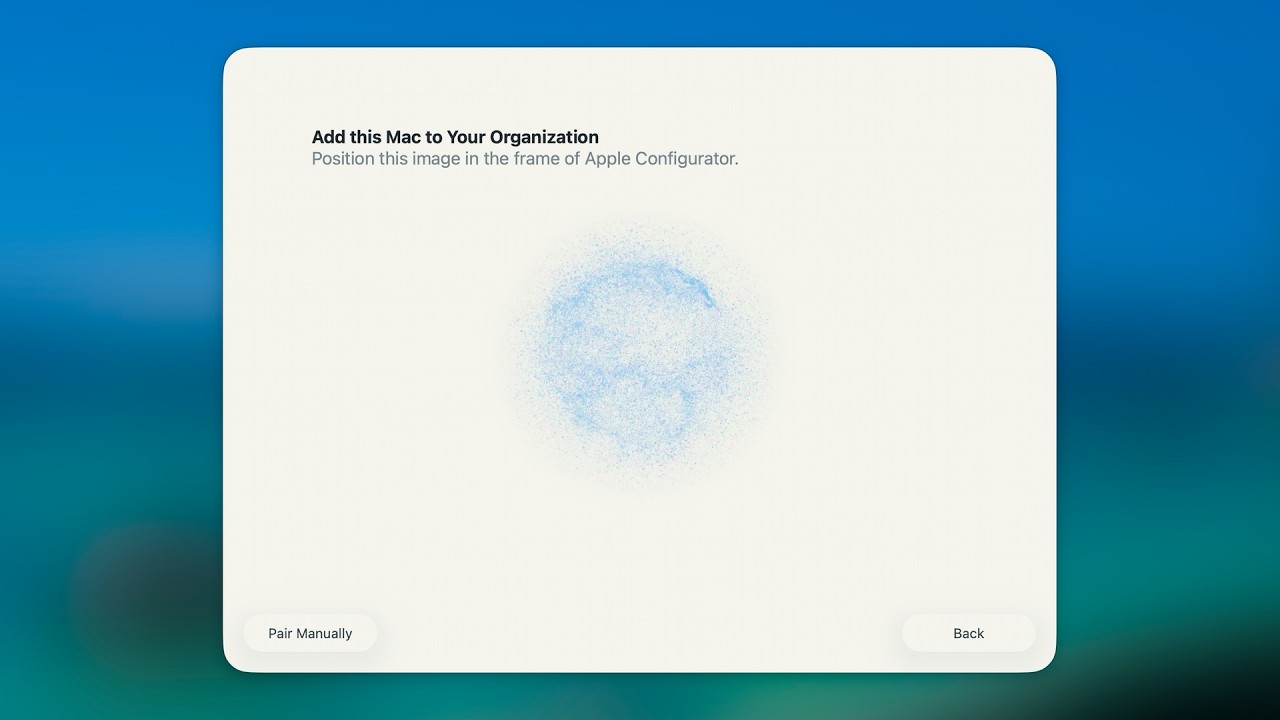
See Add2ABM in action 🎬
How it works
The script operates in two modes:
Backup mode (default):
Backs up eligible local user records (
*.plist→*.bak) in/var/db/dslocal/nodes/Default/users/,Removes
.AppleSetupDonefile located in/var/db/Performs a reboot to trigger Setup Assistant on next boot
Restore mode (when backups exist):
Restores user records (
*.bak→*.plist)Recreates
.AppleSetupDoneRemoves
.AppleSetupTermsOfServiceto re–confirm macOS SLAPerforms a reboot to return the system to normal operation
Complete Add2ABM procedure in 20 easy steps
- Disable Activation Lock, if currently enabled
- Shut down Mac
- Hold Touch ID/power button to boot into Options (macOS Recovery)
- Authenticate as volume owner
- Connect to network (if not connected)
- Open Utilities → Terminal (or use ⌘⇧T)
- Execute the script to backup user records and reboot
- Unlock disk upon boot, if encrypted
- Proceed in Setup Assistant to Select Your Country or Region step
- Bring the iPhone running Apple Configurator in close proximity to the Mac
- Add the computer to the MDM server of choice in ABM/ASM
- Shut down Mac on success (Mac Added confirmation)
- Hold Touch ID/power button to boot into Options (macOS Recovery) once again
- Authenticate as volume owner
- Connect to network (if not connected)
- Open Utilities → Terminal (or use ⌘⇧T)
- Execute the script again to restore user records from backup and reboot
- Unlock disk upon boot, if encrypted
- Log in to the local user account
- Run
sudo profiles renew -type enrollment(local admin account context required) in Terminal to force Automated Device Enrollment workflow from your MDM
Limitations
- Requires physical access
- Not suitable for unattended or automated execution
- Depends on Apple’s current Setup Assistant and ABM behavior
- Future macOS versions may affect functionality
Troubleshooting
If the script does not behave as expected, you can enable tracing to run it in a verbose mode for debugging:
sh
sh -x <(curl -s add2abm.inetum.zone)
or if you’re hosting it yourself:
sh
sh -x <(curl -s script_hosting_fqdn/add2abm.sh)
Support
Before reporting issues, verify that: - the script was run from macOS Recovery - the Data volume was successfully unlocked
When reporting issues, include: - Mac model and architecture - macOS version - What troubleshooting steps you’ve already taken - Any relevant error messages or unexpected behavior observed - Full Terminal output, if possible
Contribution
Contributions are welcome! To contribute, create a fork of this repository, commit and push changes to a branch of your fork, and then submit a pull request. Your changes will be reviewed by a project maintainer.
Contributions don’t have to be code; we appreciate any help in answering issues.
Credits
Add2ABM was created by the Apple Business Unit at Inetum Polska Sp. z o.o.
Add2ABM is licensed under the Apache License, version 2.0.
-
To learn more about adding devices using Apple Configurator to Apple Business, visit the Apple Business User Guide (currently available in a limited set of languages). [^2]: To learn more about adding devices using Apple Configurator to Apple Business Manager, visit the Apple Business Manager User Guide. [^3]: To learn more about adding devices using Apple Configurator to Apple School Manager, visit the Apple School Manager User Guide. ↩